

Introduction
In the dynamic world of modern business, effective project management is crucial for achieving goals and maintaining productivity. Traditional methods of managing projects, often reliant on extensive lists and spreadsheets, can be overwhelming and inefficient. Enter visual project management—a revolutionary approach that leverages visual tools and frameworks to simplify complex workflows and improve team collaboration.
This article delves into the concept of visual project management, its benefits, popular tools, and how it’s transforming the way teams approach tasks.
What is Visual Project Management?
Visual project management is a methodology that uses visual tools and techniques to plan, monitor, and execute projects. Unlike text-heavy processes, it relies on elements like:
- Kanban boards: To organize tasks visually.
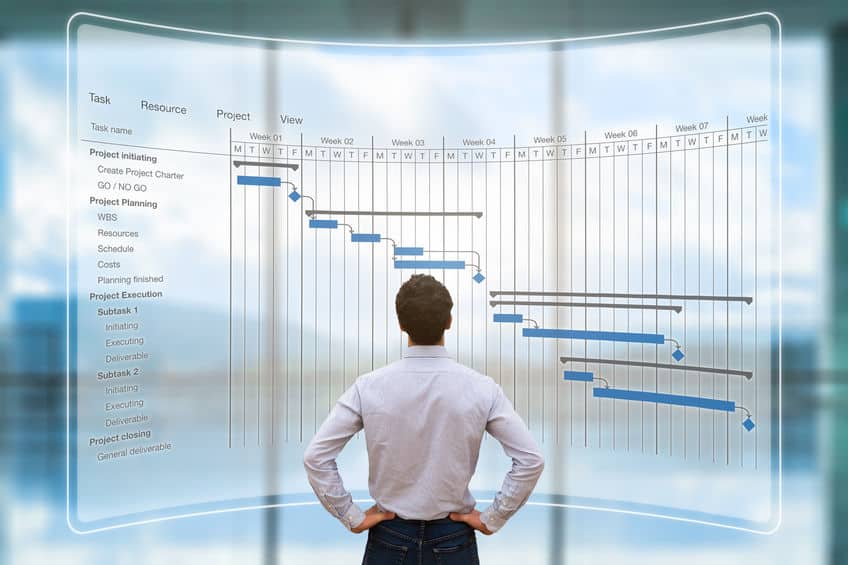
- Gantt charts: For tracking timelines and dependencies.
- Flow diagrams: To illustrate processes.
By presenting information in an intuitive, visual format, teams can quickly understand priorities, identify bottlenecks, and make informed decisions.
Core Principles of Visual Project Management
1. Transparency
Visual tools provide a clear view of project status, ensuring all team members are on the same page.
2. Simplicity
By breaking down complex processes into manageable visual elements, teams can reduce confusion and focus on actionable tasks.
3. Collaboration
Visual tools foster real-time collaboration, making it easier for team members to communicate and align on goals.
Benefits of Visual Project Management
1. Enhanced Clarity
Visual representations like task boards and charts help teams quickly understand project progress and priorities without sifting through lengthy documents.
2. Improved Productivity
Clear workflows minimize confusion, allowing team members to focus on their responsibilities and meet deadlines effectively.
3. Better Decision-Making
By offering an at-a-glance view of project data, visual tools enable managers to identify issues early and allocate resources efficiently.
4. Increased Engagement
Teams are more likely to stay engaged when they can visualize their contributions and see the project’s overall progress.
Popular Tools for Visual Project Management
- Trello
- Known for its intuitive Kanban boards, Trello is ideal for task tracking and collaboration.
- Asana
- Offers customizable dashboards and task visualizations to manage projects effectively.
- Monday.com
- Combines visual workflows with powerful automation to streamline processes.
- GanttPRO
- Specializes in Gantt charts for detailed project timeline management.
- Lucidchart
- A visual workspace tool perfect for creating flowcharts, diagrams, and process maps.
How to Implement Visual Project Management
Step 1: Define Project Goals
Start by identifying clear objectives and deliverables for your project.
Step 2: Choose the Right Tool
Select a visual project management tool that suits your team’s needs and workflow style.
Step 3: Create Visual Workflows
Use Kanban boards, timelines, or diagrams to organize tasks and responsibilities visually.
Step 4: Assign Roles and Deadlines
Clearly define who is responsible for each task and set achievable deadlines.
Step 5: Monitor Progress
Regularly update your visual tools to reflect changes and track progress toward goals.
Real-World Applications of Visual Project Management
- Software Development: Teams use Kanban boards to manage sprints and track bug fixes.
- Marketing Campaigns: Visual timelines help coordinate content creation and ad placements.
- Event Planning: Gantt charts streamline scheduling and resource allocation for large events.
- Product Design: Diagrams and workflows ensure alignment between designers and engineers.
Conclusion
Visual project management is more than just a trend—it’s a powerful methodology transforming how teams work together. By simplifying workflows, improving collaboration, and fostering accountability, it empowers teams to achieve their goals with greater efficiency and clarity.
If you’re looking to streamline your project management processes, consider adopting visual tools and techniques today. With platforms like Trello, Asana, and Monday.com, the transition is seamless, and the benefits are undeniable. Take your project management to the next level with visual strategies!
